
Finding payroll software isn't difficult. Finding the right payroll software for your business is.
30+ min read – Last Updated on October 15, 2026
 Albert Nadeua, Digital Marketing Manager, CheckMark
Most payroll platforms handle the basics, including calculating wages, processing payroll, sharing employee pay information, and generating reports. They differ in pricing, features, affordability, tax filing, integrations, customer support, and how much of the payroll process you need to manage yourself.
In this guide, we compare 15 of the best payroll software options for small businesses in 2026. Each review covers key features, pricing, pros, and cons to help you decide which provider fits your needs. CheckMark Online Payroll ranks first for businesses looking for a simple and affordable payroll solution. Explore our rankings to find the right payroll software for your business.
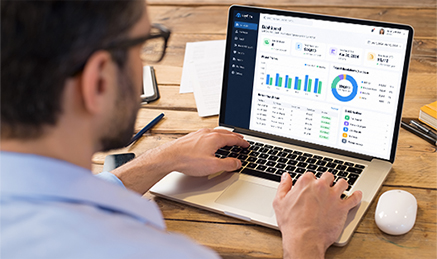
Payroll software helps businesses calculate wages, manage deductions, process payroll, maintain employee records, and generate payroll reports. Depending on the platform, it may also support direct deposit, employee self-service, paid time off (PTO) tracking, and year-end tax forms.
The services vary by provider. Some platforms focus on payroll calculations and give employers control over the process. Others offer full-service payroll, including payroll tax calculations, filings, and payments. Some also combine payroll with human resources (HR), benefits administration, and time tracking.
Payroll software does not automatically include full-service tax filing. Businesses that use do-it-yourself (DIY) payroll solutions may still be responsible for payroll tax deposits, filings, and reporting. Before choosing a plan, confirm which tasks the provider handles and which remain your responsibility.
Payroll software also doesn't necessarily replace a complete accounting or HR system. A payroll-focused platform may lack features for recruiting, benefits management, or accounting, so check whether you'll need separate software for those tasks.
When comparing payroll software for small businesses, check the total cost, included features, tax filing responsibilities, and how much of the process you'll need to manage yourself.
To identify the best payroll software for small businesses in 2026, we compared 15 providers using publicly available information about pricing, features, tax services, integrations, and business suitability.
We evaluated each provider against six criteria:
Our rankings are based on publicly available information reviewed for this article. We did not conduct independent hands-on testing or use a weighted scoring system. Because pricing and features can change, check each provider's current plans and terms before making a purchase decision.
The best payroll software for small businesses depends on your budget, workforce size, tax responsibilities, and need for additional HR features. Here are our top picks and what each provider does best.
| Payroll Software | Best For | Base Fee | Employee Fee |
|---|---|---|---|
| CheckMark Online Payroll | Businesses that want DIY payroll and complete control | $20/mo | $5/employee |
| Gusto | Small businesses wanting payroll + HR | $49/mo | $6/person |
| QuickBooks Payroll | QuickBooks Accounting users | $50/mo | $7/employee |
| ADP RUN | Small businesses wanting payroll expertise and support | Quote-based | |
| Patriot Payroll | Budget-conscious small businesses | $17/mo | $4/worker |
| Square Payroll | Businesses already using Square POS | $35/mo | $6/person |
| OnPay | Small businesses wanting straightforward payroll | $49/mo | $6/worker |
| SurePayroll | Very small businesses and beginners | $29/mo | $7/worker |
| Remote | International payroll and distributed teams | $29/employee/mo | |
| Justworks | Businesses wanting payroll plus PEO services | $50/mo | $8/employee |
| Rippling | Businesses wanting extensive workforce automation | Quote-based | |
| Payroll4Free | Businesses looking for a low-cost payroll option | Free core service | |
| Paychex Flex | Growing businesses needing payroll + HR | Quote-based | |
| Paycor | Businesses Small and midsize businesses needing broader HCM | Quote-based | |
| Deel Payroll | Companies managing international workers | Quote-based / product dependent | |
Disclaimer software pricing and features can change frequently and may vary based on employee count, number of states, payroll frequency, selected features, and available promotions. Prices shown in this article are based on publicly available information reviewed in October 2026. Prices and features are subject to change, so always verify current pricing, fees, and features directly with the provider before making a decision. Promotional pricing may differ from standard pricing.
Best for: Small businesses that want simple and affordable payroll software and more control over the payroll process.
CheckMark Online Payroll is a simple and affordable online payroll software for small businesses that prefer to run payroll themselves rather than pay for a fully managed payroll service. Instead of bundling payroll with a large HR or HCM platform, CheckMark Online Payroll focuses on the core payroll functions many small employers actually need while giving employers hands-on control over their payroll process.
The platform handles payroll calculations, employee management, payroll reporting, ACH direct-deposit file generation, document management, and employee self-service. It also supports salaried and hourly employees, multiple pay rates and deductions, multiple pay frequencies, and detailed payroll reporting.
For businesses that run payroll frequently, unlimited payroll runs can be particularly useful. CheckMark Online Payroll also supports MICR check printing, W-2 and W-3 year-end reporting, multiple companies, and friendly US-based customer support.
CheckMark also offers a range of compatible paper products to support everyday payroll processing, including blank checks, preprinted checks, direct deposit forms, envelopes, and W-2 and W-3 forms. Having access to compatible supplies makes it easier for businesses to manage payroll documentation, print checks, and prepare year-end tax forms.
Beyond payroll, CheckMark provides companion software solutions for accounting, 1099 reporting, 1095 filing, human resources (HR), and time clock management. These complementary products help businesses connect essential administrative functions, streamline workflows, and manage more of their day-to-day operations within the CheckMark product ecosystem.
The Business Edition of CheckMark Online Payroll starts at $20/month + $5 per employee.
Pros
Straightforward payroll-focused platform
Good control over the payroll process
Unlimited payroll runs
Detailed payroll reporting
Supports ACH direct-deposit files
US-based customer support
Useful for businesses that don't need a large HR platform
Cons
Employers remain responsible for their payroll tax filing obligations with the DIY approach
Not intended to replace a comprehensive HR or HCM platform
May require more hands-on payroll administration than fully managed services
CheckMark Online Payroll stands out for small businesses that want to keep payroll in their own hands without paying for a broader HR platform they may not need. Its combination of transparent pricing, unlimited payroll runs, core payroll tools, reporting, employee self-service, payment flexibility, and US-based support makes it worth considering for employers comfortable managing their own payroll responsibilities.
The key trade-off is control versus convenience: CheckMark Online Payroll gives employers more direct control over payroll, while full-service providers take on more of the administrative and tax-filing work. For a small business that values flexibility, predictable software costs, US-based support, and a focused payroll solution, CheckMark Online Payroll can be a compelling alternative to larger, more heavily managed platforms.
For businesses that prefer locally installed payroll software, CheckMark also offers desktop payroll software as an alternative to its online solution. CheckMark Payroll Software starts at $599 and includes unlimited employees and unlimited payrolls, making it particularly appealing to businesses looking for a fixed-cost payroll solution without per-employee or per-payroll charges. It’s a practical option for employers who prefer to manage payroll from their desktop rather than use a subscription-based online payroll platform.
Best for: Small businesses that want payroll, HR, benefits, and employee management in one platform.
Gusto is one of the better-known payroll platforms for small businesses. Its appeal comes from combining payroll with HR, benefits, onboarding, time tracking, and employee self-service.
Gusto's published pricing currently includes:
Simple: $49/month + $6/person/month
Plus: $80/month + $12/person/month
Premium: $180/month + $22/person/month
Higher plans add capabilities such as time tracking, advanced HR tools, HR expert support, and additional services.
Pros
Broad payroll and HR feature set
Automated payroll tax filing
Benefits administration
Employee self-service
Large integration ecosystem
Cons
Monthly costs increase as employees and features are added
More expensive than some payroll-focused alternatives
Businesses with simple payroll needs may pay for features they don't use
Gusto makes the most sense when you want payroll to be part of a broader HR system rather than a standalone payroll tool.
Best for: Businesses already using QuickBooks for accounting.
QuickBooks Payroll is particularly attractive to businesses that want payroll and accounting data connected within the QuickBooks ecosystem.
QuickBooks positions its payroll offering around payroll automation, employee management, benefits, and connections with QuickBooks accounting.
Payroll-only plans begin at $45/month, plus $6 per employee
Premium and Elite plans include additional features such as time tracking, expanded HR tools, and enhanced tax support.
Payroll + Accounting bundles start at $75/month.
Pros
Strong QuickBooks integration
Convenient for existing QuickBooks customers
Payroll and accounting can work together
Broad small-business ecosystem
Automated payroll features
Cons
Most compelling if you're already using QuickBooks
Total cost can depend on the QuickBooks accounting subscription
Some advanced features require higher-tier plans
If your business already runs its books through QuickBooks, keeping payroll in the same ecosystem can simplify accounting and payroll workflows.
Best for: Small businesses that want established payroll infrastructure and access to broader HR services.
RUN Powered by ADP is ADP's payroll platform for small businesses. It combines payroll processing with tax services and optional HR, time, benefits, and workforce-management capabilities.
ADP also lets businesses add services such as time and attendance, HR, insurance, and retirement as their needs change.
ADP does not publish one simple universal monthly price for RUN. Pricing depends on the package, business size, payroll requirements, and additional services. Businesses are directed to request pricing.
Pros
Established payroll provider
Broad payroll and HR capabilities
Tax administration
Scalable service options
Extensive support and add-on services
Cons
Pricing is less transparent
Additional services can increase total cost
May have more features than a very small business needs.
ADP RUN is a reasonable option for businesses that want payroll today but expect their HR and workforce-management needs to become more sophisticated.
Best for: Small businesses looking for affordable payroll software.
Patriot focuses heavily on small-business payroll and accounting, with a lower starting price than many full-service payroll platforms.
Patriot currently lists:
Basic Payroll: $17/month + $4 per worker paid
Full-Service Payroll: $37/month + $5 per worker paid
Full-Service Payroll handles federal, state, and most local tax filing and deposits. Additional state filing fees apply.
Pros
Low starting price
Full-service option available
Unlimited payroll runs
Simple small-business focus
Online access
Employee mobile access
Cons
Additional fees can apply for multiple states
Fewer advanced HR capabilities than broader HCM platforms
Businesses with complex workforce requirements may need a more comprehensive system
Patriot is a good option to compare if keeping payroll costs low is a top priority.
Best for: Businesses already using Square for payments, POS, scheduling, or time tracking.
Square Payroll is particularly convenient for businesses that already use other Square products. Payroll can connect with Square's broader employee and business-management ecosystem.
Square Payroll currently starts at:
Employees and contractors: $35/month + $6 per employee
Contractor-only: $6 per contractor
Pros
Transparent pricing
Strong Square ecosystem integration
Full-service payroll
Contractor option
Time and team-management integration
Good fit for retail and service businesses using Square
Cons
Most useful if you already use Square
Not as broad an HR platform as some competitors
Businesses outside the Square ecosystem may find fewer reasons to choose it
If your business already runs on Square, Square Payroll deserves a close look because of the integration between payroll and other Square tools.
Best for: Small businesses that want full-service payroll with straightforward pricing.
OnPay takes a relatively simple approach to payroll pricing and includes a broad set of payroll and basic HR capabilities.
OnPay currently lists pricing at $49/month + $6 per worker per month for payroll and hiring essentials.
Pros
Straightforward pricing
Full-service tax filing
Unlimited payroll runs
Strong small-business feature set
Employee onboarding
Multistate payroll
No separate fee for every payroll run
Cons
Not as extensive as a full HCM platform
Advanced HR needs may require additional services
Businesses with very small teams may find cheaper DIY options
OnPay is a strong middle-ground option for businesses that want managed payroll without moving into a large enterprise HR platform.
Best for: Very small businesses that want simple, full-service payroll.
SurePayroll is a Paychex company focused on small businesses and employers that want a relatively straightforward payroll service.
SurePayroll currently starts at $29/month + $7 per worker. The first state is included, while multistate payroll adds $9.99/month, with separate fees possible for local tax jurisdictions.
Pros
Low starting price
Simple setup
Full-service payroll option
Backed by Paychex
Automatic payroll
Good fit for small teams
Cons
Multistate payroll costs extra
Additional services can increase the total cost
Not intended to compete with full HCM platforms on breadth
SurePayroll is worth considering when you want a simple payroll service without paying for a large HR platform.
Best for: Businesses running payroll for international employees
Remote is designed around distributed and international workforces. Its payroll offering is different from traditional US-only small-business payroll because it focuses on managing payroll across countries.
Remote currently lists Global Payroll at $29 per employee/month. Its other services, including EOR and contractor management, are priced separately.
Pros
Built for international teams
Global payroll support
Local compliance expertise
International contractor management
HR functionality included
Transparent starting price for global payroll
Cons
More functionality than a domestic-only small business may need
International payroll can involve additional implementation requirements
Best suited to companies with cross-border workforce needs
Remote makes more sense once your payroll requirements cross international borders.
Best for: Businesses that want payroll combined with HR and PEO services.
Justworks combines payroll with HR support, compliance services, benefits, and PEO capabilities.
justworks' standalone payroll offering currently starts at $50/month + $8 per employee/month.
Its PEO offerings are priced separately, with current plans starting at $79 per employee/month for PEO Basic.
Pros
Payroll and HR in one platform
PEO option
Compliance support
Benefits administration
Good fit for businesses that want to outsource more HR administration
Cons
PEO pricing is considerably higher than payroll-only software
May be unnecessary for businesses that only need payroll
Benefits and PEO costs require closer comparison
Justworks becomes more compelling when you want payroll plus outsourced HR and compliance support, rather than payroll alone.
Best for: Growing companies that want payroll integrated with HR, IT, and workforce automation.
Rippling goes beyond payroll. Its platform connects payroll with HR, benefits, IT, finance, and employee workflows.
Rippling's broader platform is designed so employee information can flow between HR, payroll, IT, and other systems.
Rippling uses modular, quote-based pricing. Its pricing page states that most products are billed on a per-employee, per-month basis, with the actual cost depending on the services selected.
Pros
Extensive automation
Payroll and HR integration
Strong IT capabilities
Global workforce options
Modular platform
Good scalability
Cons
Pricing is less transparent
Can be more complex than a payroll-only solution
Businesses may pay for multiple modules as their needs expand
Rippling is better suited to companies that want payroll to become part of a broader workforce-management system.
Best for: Very small businesses looking for a low-cost payroll option.
Payroll4Free stands out because its basic payroll service can be free for employers paying nine or fewer individuals no more than once per month.
Payroll4Free states that its basic services are free when paying nine or fewer individuals no more than once monthly.
The core service can be $0 under its eligibility requirements.
Additional services can carry fees. For example, Payroll4Free's published fee schedule lists recurring payroll tax services at $35/month for the first two tax authorities, with additional tax authorities charged separately.
Pros
Very low entry cost
Basic payroll is free for qualifying businesses
Payroll calculations included
Direct deposit or checks
PTO tracking
Reporting
Cons
Free pricing has eligibility limits
Additional services can add fees
Less polished feature breadth than some modern payroll platforms
Businesses may need paid services for more hands-off payroll administration
Payroll4Free can be attractive for a very small business focused primarily on minimizing software costs, but compare the total cost once you add the services you actually need.
Best for: Businesses that want payroll and HR capabilities that can grow with them.
Paychex Flex combines payroll with HR, time and attendance, benefits, retirement, and other workforce services.
Paychex describes Flex as a platform that can expand from payroll into HR, benefits, compliance, and other services as a business grows.
Paychex's current pricing varies by package. Its public comparison page shows packages beginning at $65/month + $8/person for certain small-business offerings, while higher packages cost more. Some Flex plans remain quote-based.
Pros
Broad payroll and HR functionality
Scalable
Time and attendance
Benefits and retirement options
Established payroll provider
Mobile access
Cons
More expensive than basic payroll software
Pricing varies by package
Feature-rich platform may be more than a very small business needs
Paychex Flex is worth considering if you expect your company to need more HR functionality as it grows.
Best for: Growing small and midsize businesses looking for payroll plus broader HR management.
Paycor combines payroll with recruiting, onboarding, scheduling, benefits, talent management, workforce analytics, and other HR functions.
Paycor's payroll platform is designed to connect payroll with HR, benefits, time management, and workforce analytics.
Paycor uses a customized pricing model for its HR and payroll packages. Businesses can request a quote based on company size and selected services.
Pros
Broad HCM functionality
Payroll and HR integration
Recruiting and onboarding
Workforce analytics
Time and attendance
Good scalability
Cons
Quote-based pricing makes comparisons harder
More extensive than many small businesses need
Broader functionality can mean greater implementation complexity
Paycor is better suited to growing organizations that need payroll as part of a broader HR system.
Best for: Companies managing employees and contractors across multiple countries.
Deel focuses heavily on global employment, payroll, contractor management, compliance, and HR.
Deel says its platform supports teams in more than 150 countries and combines global payroll, compliance, HR, and workforce management.
Deel's publicly listed pricing varies by service. Current published starting prices include:
Global Payroll: $29/employee/month
US Payroll: $19/employee/month
Contractors: $49/month
Employer of Record: $599/month
Exact pricing can vary depending on country, worker type, and services selected.
Pros
Strong international payroll capabilities
Contractor management
Employer of Record services
Global compliance support
International payments
Broad HR functionality
Cons
More than most US-only small businesses need
Global payroll pricing can vary by requirements
Primarily aimed at companies with international workforce needs
Deel is most relevant when hiring, paying, or managing workers across borders is part of your business.
The best payroll software for small businesses depends on the type of business you're running.
The important thing is not to choose the provider with the longest feature list. Choose the one that handles the payroll responsibilities you actually have, at a cost that makes sense for your business.
Small businesses need payroll software that helps them process payments, maintain accurate records, control costs, and get support when questions arise.
CheckMark customers have reported benefits such as faster tax reporting, simpler payroll processing, affordable pricing, and responsive customer support. The following examples describe their experiences.
Janis, a CFO and business owner who reported using CheckMark for more than 10 years, described how the software changed the time needed to complete federal tax forms:
"It used to take me several hours to fill out federal tax forms. I can complete it now with 100% accuracy in less than 30 minutes. WOW!"
Brokaw also highlighted year-end calculations and federal and state tax reporting as useful features. They reported spending less time on these tasks and making fewer errors in their own work.
These results reflect one customer's experience. Actual results depend on the business and its payroll processes.
Accountant Corrine Gomez reported using CheckMark for approximately 30 years across two companies. Gomez valued the software's reporting features and customer support, particularly the team's response times and ability to resolve problems.
"I can't say enough about customer support, not only quick problem solving but quick response."
Gomez also reported that CheckMark helps keep payroll running smoothly and supports accurate recordkeeping.
Ramsey, a business owner who reported using CheckMark for two years, cited affordability as a key reason for choosing the software. Morris had found payroll costs challenging and reported spending less after switching to CheckMark, although no specific savings amount was provided.
These accounts show what individual customers value about CheckMark, from tax reporting and direct deposit to pricing and customer support. Their experiences can help you assess whether the software fits your needs, but your results will depend on your business size, payroll requirements, and existing processes.
There's no single best payroll software for small businesses that makes sense for every business.
A five-person company that wants to run payroll itself may have very different requirements from a 200-person company with employees in several states. And a company hiring internationally has an entirely different set of payroll and compliance considerations.
That's why the best way to compare payroll software is to start with your own requirements.
Look at pricing, tax filing, payroll flexibility, HR tools, integrations, employee count, states, and support before making a decision.
For businesses that want a focused payroll solution with more hands-on control, CheckMark Online Payroll is worth comparing with the larger full-service platforms. For companies looking for payroll plus HR, options such as Gusto, ADP RUN, OnPay, Paychex Flex, and Paycor offer broader services. And for businesses with international teams, Remote and Deel are built specifically around global workforce needs.
The right choice isn't necessarily the provider with the most features. It's the one that gives your business the payroll capabilities you actually need without making you pay for functionality you don't.
It depends on your budget and payroll needs. CheckMark Online Payroll, Gusto, Patriot, OnPay, ADP RUN, and QuickBooks Payroll are all worth comparing for small businesses.
Payroll4Free offers free basic payroll for qualifying businesses. CheckMark Online Payroll and Patriot are also affordable options for businesses focused on keeping payroll costs low.
Not always. Free plans often limit features or charge separately for services such as tax filing, direct deposit, or additional tax jurisdictions.
CheckMark Online Payroll, Gusto, OnPay, Square Payroll, and SurePayroll are designed with simplicity in mind. The easiest option depends on how complex your payroll is.
Some providers do. Full-service services such as Gusto, OnPay, ADP RUN, and SurePayroll can handle payroll tax filing, while DIY solutions such as CheckMark Online Payroll leave those responsibilities with the employer.
DIY payroll gives you more control but requires you to manage tax obligations. Full-service payroll handles more of the process for you, usually at a higher cost.
Pricing ranges from free options to hundreds of dollars per month. Most providers charge a monthly base fee, a per-employee fee, or both.
For most businesses, it can save time and reduce manual payroll work. Full-service options can also reduce the administrative burden of payroll tax filing.
CheckMark Online Payroll, Patriot, Gusto, OnPay, SurePayroll, Square Payroll, and QuickBooks Payroll are all worth considering. Your tax, HR, and budget requirements should determine the final choice.
CheckMark Online Payroll, Gusto, QuickBooks Payroll, ADP RUN, OnPay, Square Payroll, Paychex, Paycor, and Rippling support multistate payroll. Check whether additional state fees apply.
Remote and Deel specialize in international payroll and employment. Rippling also offers global payroll capabilities.
Yes. Many providers support contractors, including Gusto, QuickBooks Payroll, Square Payroll, Patriot, Remote, Rippling, and Deel.
Yes. You can use DIY payroll software such as CheckMark Online Payroll. Just remember that you're responsible for meeting applicable payroll tax and reporting requirements.
Compare total cost, tax filing, employee fees, payroll flexibility, customer support, and multistate or international requirements. Choose the provider that fits your actual needs, not simply the one with the most features.
Disclaimer: This comparison of best payroll software for small businesses is published by CheckMark and is intended to provide general information to help businesses evaluate payroll software options. CheckMark is a provider of payroll software and may compete with some of the companies and products mentioned in this article.
The names of third-party companies, products, services, and trademarks are used solely for identification and comparison purposes. Unless expressly stated, CheckMark is not affiliated with, sponsored by, endorsed by, or partnered with any of the third-party providers mentioned.
We make reasonable efforts to present information accurately using publicly available sources and information available at the time of publication. However, third-party pricing, plans, features, integrations, tax services, availability, and terms may change or vary by business, location, or subscription plan. Information in this article may therefore become outdated.
This article is not intended to make a definitive statement about the quality, suitability, or performance of any third-party product. Any descriptions, comparisons, advantages, or limitations are provided for informational purposes and should not be interpreted as guarantees or representations about a competitor's current product or service.
Always verify current pricing, features, terms, and services directly with the provider before making a purchasing decision.
Last reviewed: October 2026.
